- Home Page /
- Electronics /
- Computer Accessories /
- Computer Accessories & Peripherals /
- Input Devices /
- Digital Pens /
- Stylus Pen for Microsoft Surface Pro9/8/X/7/6...
0 ratings




Item #:
61321663
Stylus Pen for Microsoft Surface Pro9/8/X/7/6/5/4/3 Surface Go 3/2/1 Surface 3/Laptop/Studio/Book 4/3/2/1 with 4096 Tilt Pressure Palm Rejection
Item #:
61321663
€ 39
Price Details
Excluding Shipping & Custom charges ( Shipping and custom charges will be calculated on checkout )
*All items will import from US
0 ratings
Write a review
In stock
 Imported from USA store
QTY:
Only 8 items left in stock.
Order now and get it around Friday, July 03
Secured transaction
Ubuy works hard to protect your security and privacy. Our advanced payment security system ensures confidentiality by encrypting your information during transmission using AES (Advanced Encryption Standards) and SSL (Secure Socket Layer) protocols. Your payment details are 100% secure as we do not share your payment details with third party sellers.
Our Top Logistics Partners


Experience precise sketching and shading with 4096 pressure sensitivities and tilt sensitivity for a truly natural writing feel.

Fast
Shipping

Free
Return*

Secure Packaging

100% Original Products

PCI DSS Compliance

ISO 27001 Certified


Note: Step Down Voltage Transformer required for using electronics products of US store (110-120). Recommended power converters Buy Now.


What Stands Out
Fast Charging
Experience minimal downtime with the stylus pen's rapid charging capability, allowing for longer usage on-the-go. This ensures you can stay productive without interruption, making it ideal for busy professionals and artists.
Palm Rejection
The advanced palm rejection technology allows users to rest their hands comfortably on the screen while drawing or writing, ensuring flawless precision without accidental marks, enhancing creativity and productivity.
Comprehensive Compatibility
Compatible with a wide range of iPad models from 2018 to 2023, this stylus pen caters to diverse users, ensuring everyone can utilize its features regardless of their device, maximizing its value and appeal.
Product Details
- 【Support Tilt Sensitivity & 4096 Pressure Sensitivity】Support MPP2.0 protocol helps allows you to precisely sketch and shade ,with 4096 pressure sensitivities that respond to the lightest touch. Tilting the stylus at an angle also allows you to shade like you would with a real pencil. Note: Tilt sensitivity compatibility depends on the application and pen brush.
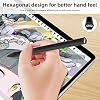
- 【Unique Hexagonal Design】The unique hexagonal design of the penholder is better than the general U-shaped design, making the holding more comfortable and the writing more smooth and more natural. It weighs only 16 grams, has a 9.2 mm diameter, Made of premium aluminum alloy, making the pen is lightweight and durable. You can use it for a long time without feeling tired.
- 【Palm Rejection Function & Magnetic Attach】This stylus pen has a palm rejection function that allows you to rest your palm comfortably on the screen while you write or draw without interfering with stylus use. Magnetic adsorption design,You can place gently carry the pen on the tablet LEFT side of , it absorbs immediately(Only those compatible with magnetic suction have effect).
- 【Ultra fast Charging and Intelligent Power Management】 Avoid the trouble and waste of disposable batteries. It can be used for about 80 hours after being charged for 20 minutes. With the Smart power management design, it will switch to power-saving mode after 10-minutes of idle. Pressing any button can wake you up from the power-saving mode.
- 【Compatible Models】This stylus pen is compatible with Microsoft Surface Pro X, Surface Pro 9/8/7/6/5/4/3, Surface Book 3/2/1, Surface Go 3/2/1, Surface Studio 2/1, Surface Laptop 4/3/2/1, and Surface 3 tablets.
| Number of Batteries | 1 Lithium Polymer batteries required. (included) |
| Battery Average Life Standby | 80 Hours |
| Compatible Devices | Tablet |
| Charging Time | 1 Hours |
| Battery Description | Lithium-Ion Polymer |
| Compatible Tablet Computer Models | Microsoft Surface 3, Microsoft Surface Go 3, Microsoft Surface Pro 9, Microsoft Surface Pro X |
| Item Weight | 18 Grams |
| Item Dimensions | 5.71 x 0.35 x 0.35 inches (14.5 x 0.9 x 0.9 cm) |
| Item Diameter | 9.2 Millimeters |
| Color | black |
| Enclosure Material | Aluminum |
| Brand | SSS·GRGB |
| Are Batteries Included | Yes |
| Are Batteries Required | Yes |
| Unit Count | 1.0 Count |
| Manufacturer | SSS·GRGB |
| Material | Aluminum |
| Item dimensions L x W x H | 5.71 x 0.35 x 0.35 inches (14.5 x 0.9 x 0.9 cm) |
| Batteries Required? | Yes |
Who Should Buy?

-
Artists and Designers
Ideal for artists needing precise control for drawing and sketching on iPad screens with palm rejection technology.
-
Students and Note-Takers
Perfect for students who prefer writing notes digitally and organizing study materials using a stylus.
-
Professionals and Presenters
Useful for professionals needing to annotate documents and create presentations directly on their iPads.

-
Occasional Users
Not ideal for casual users who seldom use their iPads for drawing or taking notes.
-
Non-iPad Users
Incompatible with devices outside the Apple iPad range, limiting usability for users with other tablets.
-
Budget-Conscious Shoppers
May not fit users looking for a low-cost alternative; premium features justify a higher price point.
Product Description
Have any Query? Chat with us
Customer Questions & Answers
-
Question:
What devices is the Stylus Pen compatible with?
Answer: The Stylus Pen is compatible with a range of Microsoft devices including the Surface Pro 98X76543, Surface Go 321, Surface 3, and Surface Laptop Studio Book 4321. This wide compatibility makes it a versatile tool for users across different Surface models, allowing you to draw, take notes, or navigate seamlessly on your touchscreen. Whether you're an artist sketching digital illustrations or a professional jotting down important notes, this stylus ensures a fluid user experience across your Microsoft devices. -
Question:
How does the 4096 levels of pressure sensitivity enhance usability?
Answer: The 4096 levels of pressure sensitivity offered by the Stylus Pen allow for nuanced strokes, making it ideal for detailed artwork and precise writing. This feature enables you to vary line thickness and opacity based on the pressure applied, mirroring the natural feel of a traditional pen or brush. Artists can achieve delicate gradients, while note-takers can create clear, legible text, enhancing both creativity and productivity on devices like the Surface Pro. -
Question:
What is palm rejection technology and how does it work?
Answer: Palm rejection technology allows users to rest their hands on the screen while using the Stylus Pen without affecting the input. This means you can write or draw naturally, just as you would with paper and pencil. The stylus accurately detects its movements while ignoring unintended touches, providing a seamless experience for digital note-taking or drawing. This feature is particularly beneficial during long creative sessions, allowing you to work without interruptions. -
Question:
Can the Stylus Pen be attached magnetically to my Surface device?
Answer: Yes, the Stylus Pen features a magnetic attachment, allowing it to securely attach to the side of compatible Microsoft Surface devices. This feature not only ensures that you have easy access to your pen when needed but also helps prevent misplacement. Whether you're transitioning from work to leisure or taking your device on-the-go, this magnetic hold is both functional and convenient, ensuring your pen is always within reach. -
Question:
What materials are the Stylus Pen made from?
Answer: The Stylus Pen is constructed using high-quality, durable materials designed to withstand daily use. The ergonomic design ensures a comfortable grip during extended periods of use, whether you're writing notes in a lecture or sketching intricate drawings. The tip of the stylus is crafted to mimic the feel of a traditional pen, providing a natural and responsive drawing experience on your Surface device's screen. -
Question:
How does the Stylus Pen enhance productivity while using Surface devices?
Answer: Using the Stylus Pen enhances productivity by providing a more intuitive way to interact with your Surface device. With features like pressure sensitivity and palm rejection, you can easily annotate documents, highlight important sections, and navigate applications. This is especially useful in professional settings where quick notes and visual updates can boost workflow efficiency. The ability to utilize natural gestures makes multitasking seamless, whether you're in a meeting or at home. -
Question:
Is the Stylus Pen suitable for both drawing and writing?
Answer: Absolutely, the Stylus Pen is designed for both drawing and writing, providing versatility for varied tasks. With its fine tip and pressure sensitivity, it responds well to detailed illustrations as well as handwritten notes. Artists can create stunning artworks, while students and professionals can take clear notes or edit documents. This dual functionality makes it an essential tool for anyone using their Microsoft Surface for creative or academic purposes. -
Question:
Can I use the Stylus Pen as a pointer to navigate my Surface device?
Answer: Yes, the Stylus Pen can be effectively used as a pointer for navigating your Surface device. This means you can tap, swipe, and scroll through applications just as you would with your fingers. The precision offered by the stylus can enhance your overall experience when browsing the web, scrolling through documents, or selecting icons. This added level of detail helps in many tasks, from casual use to more demanding design work. -
Question:
How does tilt functionality improve drawing capabilities?
Answer: The tilt functionality expands your drawing capabilities by allowing the stylus to detect angles and adjust the stroke accordingly. This feature is particularly beneficial for artists who rely on shading and varied line work. When tilted, the pen can create a broader stroke, similar to using a brush at different angles. This mimics traditional art tools, making it easier for artists to achieve diverse effects in their work, from shading to calligraphy. -
Question:
Where can I buy the Stylus Pen for Microsoft Surface devices?
Answer: You can conveniently purchase the Stylus Pen for Microsoft Surface devices from Ubuy in Malta. Ubuy provides a reliable platform to find authentic products, ensuring that you receive a quality stylus tailored for your Surface Pro, Surface Go, or Surface Laptop Studio. With a user-friendly interface, Ubuy makes it simple to browse options and select the accessories you need to enhance your digital experience.
SSS·GRGB Digital Pens Editorial Review
No editorial reviews found
Customer Reviews & Ratings
42 customers ratings
-
5 Star
57%
-
4 Star
19%
-
3 Star
9%
-
2 Star
8%
-
1 Star
7%
Review this product
Share your thoughts with other customers
Product Price History
Important information
- Limitations : For products shipped internationally, please note that any manufacturer warranty may not be valid; manufacturer service options may not be available; product manuals, instructions, and safety warnings may not be in destination country languages; the products (and accompanying materials) may not be designed in accordance with destination country standards, specifications, and labeling requirements; and the products may not conform to destination country voltage and other electrical standards (requiring use of an adapter or converter if appropriate). The recipient is responsible for assuring that the product can be lawfully imported to the destination country. When ordering from Ubuy or its affiliates, the recipient is the importer of record and must comply with all laws and regulations of the destination country.
- Not all the products listed on Ubuy are for sale, as Ubuy is a global search engine. Products are subject to export/trade regulations.
€ 39
Order now and get it around Friday, July 03
This item is not restrict in my country.(Please click on above link if this item is not restrict in your country, So our team will review and allow.)
QTY:
Only 8 items left in stock.
Secured transaction
Ubuy works hard to protect your security and privacy. Our advanced payment security system ensures confidentiality by encrypting your information during transmission using AES (Advanced Encryption Standards) and SSL (Secure Socket Layer) protocols. Your payment details are 100% secure as we do not share your payment details with third party sellers.
Our Top Logistics Partners
Fastest cross-border delivery
Features & Benefits
- Supports 4096 pressure sensitivities and tilt sensitivity for precise sketches.
- Unique hexagonal design for enhanced comfort and smooth writing.
- Palm rejection function allows you to rest your hand without interference.
- Magnetic attachment for easy portability and storage.
- Ultra-fast charging provides up to 80 hours of usage with just 20 minutes of charge.
- Compatible with various Microsoft Surface devices for versatility.