- Home Page /
- Electronics /
- Computer Accessories /
- Computer Accessories & Peripherals /
- Cables & Accessories /
- Cables & Interconnects /
- USB Cables /
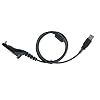
- USB Programming Cable for Motorola MotoTRBO X...
0 ratings


Item #:
27371879
USB Programming Cable for Motorola MotoTRBO XPR6550 APX6000 APX1000 APX4000 XPR7580 XPR7350 APX7000 XPR7550 XPR6350 APX
Item #:
27371879
€ 27
Price Details
Excluding Shipping & Custom charges ( Shipping and custom charges will be calculated on checkout )
*All items will import from US
0 ratings
Write a review
In stock
 Imported from USA store
QTY:
Order now and get it around Friday, July 17
Secured transaction
Ubuy works hard to protect your security and privacy. Our advanced payment security system ensures confidentiality by encrypting your information during transmission using AES (Advanced Encryption Standards) and SSL (Secure Socket Layer) protocols. Your payment details are 100% secure as we do not share your payment details with third party sellers.
Our Top Logistics Partners


High quality diameter 4.2mm PU cable for programming Motorola two way radios

Fast
Shipping

Free
Return*

Secure Packaging

100% Original Products

PCI DSS Compliance

ISO 27001 Certified


Note: Step Down Voltage Transformer required for using electronics products of US store (110-120). Recommended power converters Buy Now.


What Stands Out
Universal Compatibility
Designed to work seamlessly with multiple Motorola models, this cable provides versatile connectivity for a wide range of devices, ensuring you stay connected without compatibility concerns.
Durable Design
Constructed with high-quality materials, this cable offers long-lasting performance, resistant to wear and tear, making it ideal for heavy use in professional environments.
Easy Programming
Simplifies the programming process for Motorola radios, allowing users to configure settings effortlessly, boosting productivity and ensuring optimal device performance.
Product Details
- USB programming cable for Motorola MotoTRBO and APX series radios
- Efficiently program your radios with this high-quality PU cable
- Compatible with various Motorola models, including XPR 6000 Series and XPR 7000 Series
- Supports 32 and 64 bit operating systems, Windows and Mac
- Programming software not included
- Ideal for Motorola P25 and DMR MOTOTRBO two-way radios
| Item Weight | 0.3 lbs (140 grams) |
Who Should Buy?

-
Two-Way Radio Technicians
Ideal for professionals who need to program multiple Motorola radios quickly and efficiently using a reliable cable.
-
Emergency Services
Perfect for first responders who require rapid configuration of communication devices for urgent situations.
-
Small Business Owners
Useful for businesses utilizing Motorola radios for internal communication, enhancing productivity with quick programming capabilities.

-
Casual Users
Not suitable for users requiring occasional programming as it is designed for more frequent, professional use.
-
Non-Motorola Devices
Incompatible with radios from other brands, limiting its utility for users with different equipment.
-
Non-Technical Users
May confuse individuals without technical knowledge, as programming requires some experience with radio settings.
Product Description
USB Programming Cable for Motorola MotoTRBO XPR6550 APX6000 APX1000 APX4000 XPR7580 XPR7350 APX7000 XPR7550 XPR6350 APX
Have any Query? Chat with us
Customer Questions & Answers
-
Question:
What devices are compatible with the USB Programming Cable for Motorola MotoTRBO?
Answer: The USB Programming Cable is compatible with a wide range of Motorola devices including the MotoTRBO XPR6550, XPR7580, XPR7350, APX6000, APX1000, APX4000, APX7000, and APX7550, among others. This compatibility ensures that you can easily program or update your radios without using multiple cables, streamlining your workflow. Users can connect these devices to a computer for programming and software updates, making it an essential tool for radio operators and professionals in communications. -
Question:
Is the USB Programming Cable suitable for professional use?
Answer: Yes, the USB Programming Cable is designed for professional use, particularly for those who work in fields that require reliable communication tools. This cable allows for bulk programming and updates, ensuring efficient operation in critical situations, such as public safety, event management, and construction sites. Its durability and compatibility with essential Motorola models make it a preferred choice for industry professionals. -
Question:
What software is needed to program Motorola radios with this cable?
Answer: To program Motorola radios using the USB Programming Cable, you will typically need the appropriate software that corresponds with your specific radio model. This often includes programming software like Motorola CPS (Customer Programming Software), which allows users to configure settings, frequencies, and features. Be sure to check the software compatibility with your chosen device, as it ensures that you can effectively customize your radios for optimal performance. -
Question:
How does this USB Programming Cable improve radio management?
Answer: The USB Programming Cable enhances radio management by providing a direct connection to PCs for easier programming and updates. This allows for quicker configuration changes and software updates, which can be critical in dynamic environments. By simplifying the programming process, it helps organizations maintain operational efficiency and ensures that all communication equipment is running the latest software, reducing the risk of miscommunication or equipment failure. -
Question:
Can I use the cable to update firmware on my Motorola radio?
Answer: Yes, you can use the USB Programming Cable to update the firmware on your Motorola radios. Keeping your firmware up to date is crucial for accessing new features and improvements, as well as ensuring optimal performance. With the right software installed on your PC, the cable provides a straightforward method for installing the latest firmware updates, helping you maintain the effectiveness of your communication devices in the field. -
Question:
Is this cable plug-and-play compatible?
Answer: Yes, most USB Programming Cables for Motorola radios are designed to be plug-and-play compatible, meaning they can be used right out of the box without extensive setup. After connecting the cable to your radio and computer, you simply need to install the necessary programming software. This convenience allows users to quickly get to work on programming their devices without dealing with complex installation processes. -
Question:
What should I do if the cable is not recognized by my PC?
Answer: If your USB Programming Cable is not recognized by your PC, first ensure that the drivers for the cable are installed correctly. Many USB cables require specific drivers to function properly. Check the manufacturer's website for up-to-date drivers. Additionally, try connecting the cable to different USB ports or another computer to rule out the possibility of a faulty port. If issues persist, consulting user manuals or contacting customer support can provide further troubleshooting steps. -
Question:
Can I use this cable for other brands of radios?
Answer: The USB Programming Cable is specifically designed for Motorola radios and may not be compatible with other brands. While some features like USB connection might be similar across different brands, the programming protocols often vary greatly. Using a compatible cable ensures that you can access all necessary functions and features unique to your Motorola devices, preventing any communication errors or malfunctions. -
Question:
Are there any specific care instructions for maintaining the USB Programming Cable?
Answer: To ensure the longevity of your USB Programming Cable, it’s essential to handle it with care. Avoid bending or twisting the cable excessively, as this can damage internal wiring. After use, store the cable in a safe, dry place to prevent wear and tear. Keeping connectors clean and free from dirt can also help maintain a reliable connection, ultimately ensuring that your programming tasks can be completed without issue. -
Question:
Where can I buy USB Programming Cable for Motorola MotoTRBO in Malta?
Answer: You can purchase the USB Programming Cable for Motorola MotoTRBO models from Ubuy in Malta. Ubuy offers a wide selection of electronics and accessories, providing a convenient shopping experience. They ensure that you receive a quality product tailored to your communication needs, making it easy to enhance your radio programming capability with confidence.
Klykon USB Cables Editorial Review
No editorial reviews found
Customer Reviews & Ratings
1 customers ratings
-
5 Star
0%
-
4 Star
100%
-
3 Star
0%
-
2 Star
0%
-
1 Star
0%
Review this product
Share your thoughts with other customers
Platform Trust & Buyer Confidence

MT
Mohd
Verified buyer
“The product received very good packaging & safe…Thank You”
16 June 2026 · via Trustpilot
SJ
Shawati
Verified buyer
“Accurate delivery timing given”
16 June 2026 · via Trustpilot
YB
Youcef
Verified buyer
“Not madly expensive like I thought, and much quicker than promised.”
15 June 2026 · via Trustpilot
LM
Leila
Verified buyer
“Never dealt with Ubuy before, but everything worked out great. Seamless cross border purchasing and shipping. Thanks!”
6/7/2026 · via Trustpilot
KA
Kwame
Verified buyer
“The process was smooth, with clear communication and timelines. This was my 1st purchase and I am really impressed. I will definitely be coming back.”
12 June 2026 · via Trustpilot
Secure Checkout
Global Delivery
Easy Returns
Genuine Products
Product Price History
Important information
- Limitations : For products shipped internationally, please note that any manufacturer warranty may not be valid; manufacturer service options may not be available; product manuals, instructions, and safety warnings may not be in destination country languages; the products (and accompanying materials) may not be designed in accordance with destination country standards, specifications, and labeling requirements; and the products may not conform to destination country voltage and other electrical standards (requiring use of an adapter or converter if appropriate). The recipient is responsible for assuring that the product can be lawfully imported to the destination country. When ordering from Ubuy or its affiliates, the recipient is the importer of record and must comply with all laws and regulations of the destination country.
- Not all the products listed on Ubuy are for sale, as Ubuy is a global search engine. Products are subject to export/trade regulations.
€ 27
Order now and get it around Friday, July 17
This item is not restrict in my country.(Please click on above link if this item is not restrict in your country, So our team will review and allow.)
QTY:
Secured transaction
PCI DSS compliant and ISO 27001:2022 certified, with encrypted payments and full buyer protection on every order.
Our Top Logistics Partners
Fastest cross-border delivery
Features & Benefits
- Compatible with various Motorola Models
- USB programming cable for stable and efficient programming
- Suitable for connecting Radio and PC
- Super easy to program radios without efforts
- Programming software NOT included
- High-quality cable for both 32 and 64-bit OS
Ubuy Assurance
Experience worry-free shopping with 100% original products, PCI DSS-compliant payment security, ISO 27001-certified data protection, the fastest cross-border delivery, free returns *, and secure packaging on every order.